Designing Klaudia: From Fragmented AI Features to a Persistent AI SRE Assistant
I redesigned Komodor's fragmented AI experience into a single, persistent assistant that "follows" an investigation across an entire cluster instead of being boxed into one resource. Adoption was instant — no onboarding or transition period was needed — and investigations got deeper and more exploratory, validating the thesis that root cause analysis naturally spans more than one resource.
Context
Komodor is a Kubernetes troubleshooting, observability, and reliability platform. Klaudia is its AI assistant, built to investigate incidents, explain root causes, and act on fixes across a customer's clusters.
Klaudia's capabilities had grown the way most AI features do inside an existing product: one at a time, each built onto whatever area made sense in the moment. A logs analyzer here. Root cause analysis on issues there, and eventually the ability to "chat" and ask follow-up questions — but boxed into a tight space. As Klaudia grew more capable, she still showed up as a handful of disconnected buttons, each aware only of the single resource it was bolted onto.
The target user is an SRE or developer dealing with an issue — moving between a failed deployment, a related service, a node, and a configuration change, trying to piece together what actually happened.
The problem
Klaudia's AI capabilities were fragmented across surfaces and bound to single resources, so she couldn't follow an investigation as it naturally moved across a cluster. Two things converged into the real motivation for this project: fragmentation — each capability lived on its own surface, with its own entry point and its own memory — and resource-limited context, since real root cause analysis rarely stays inside a single resource.
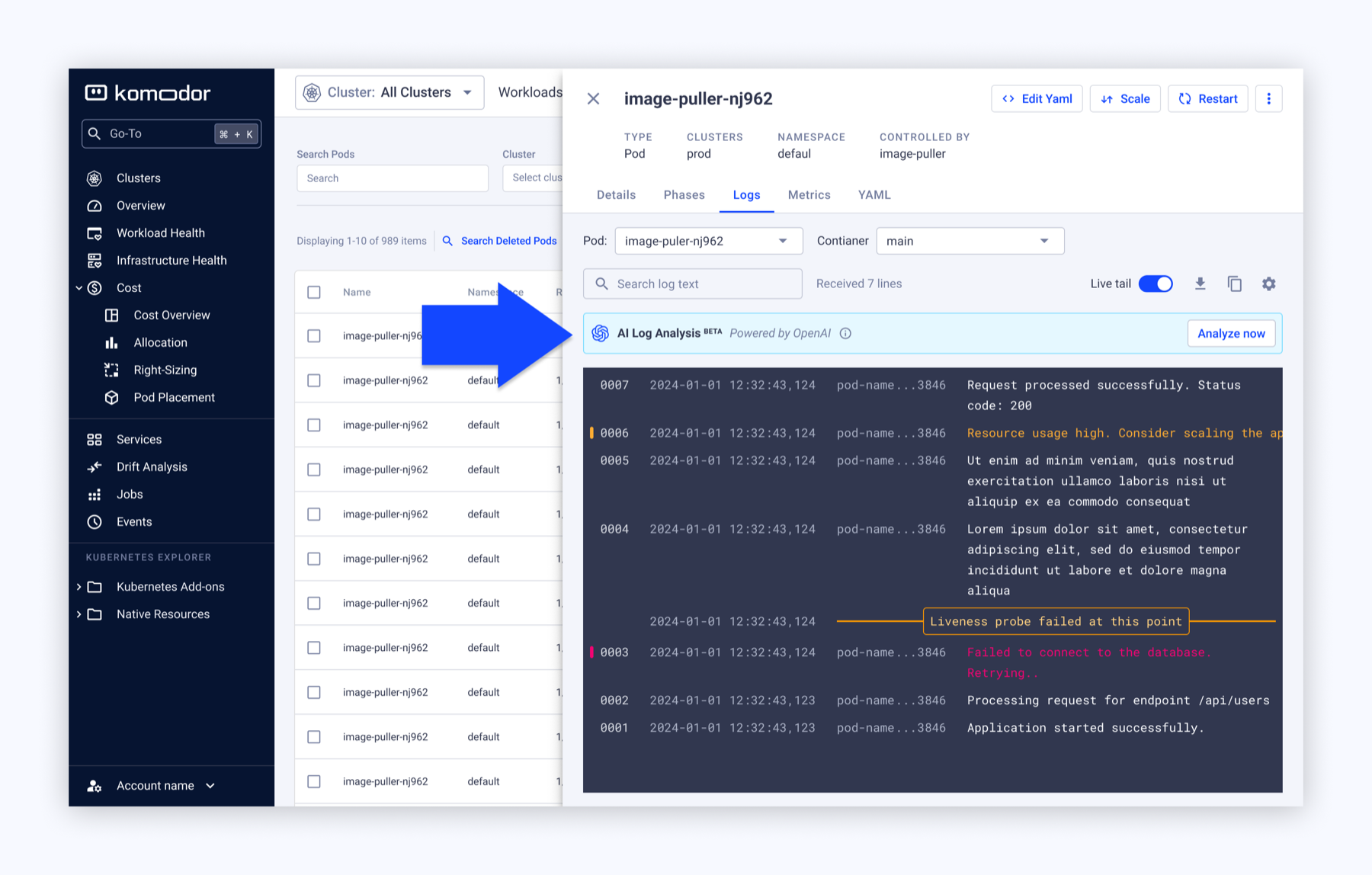
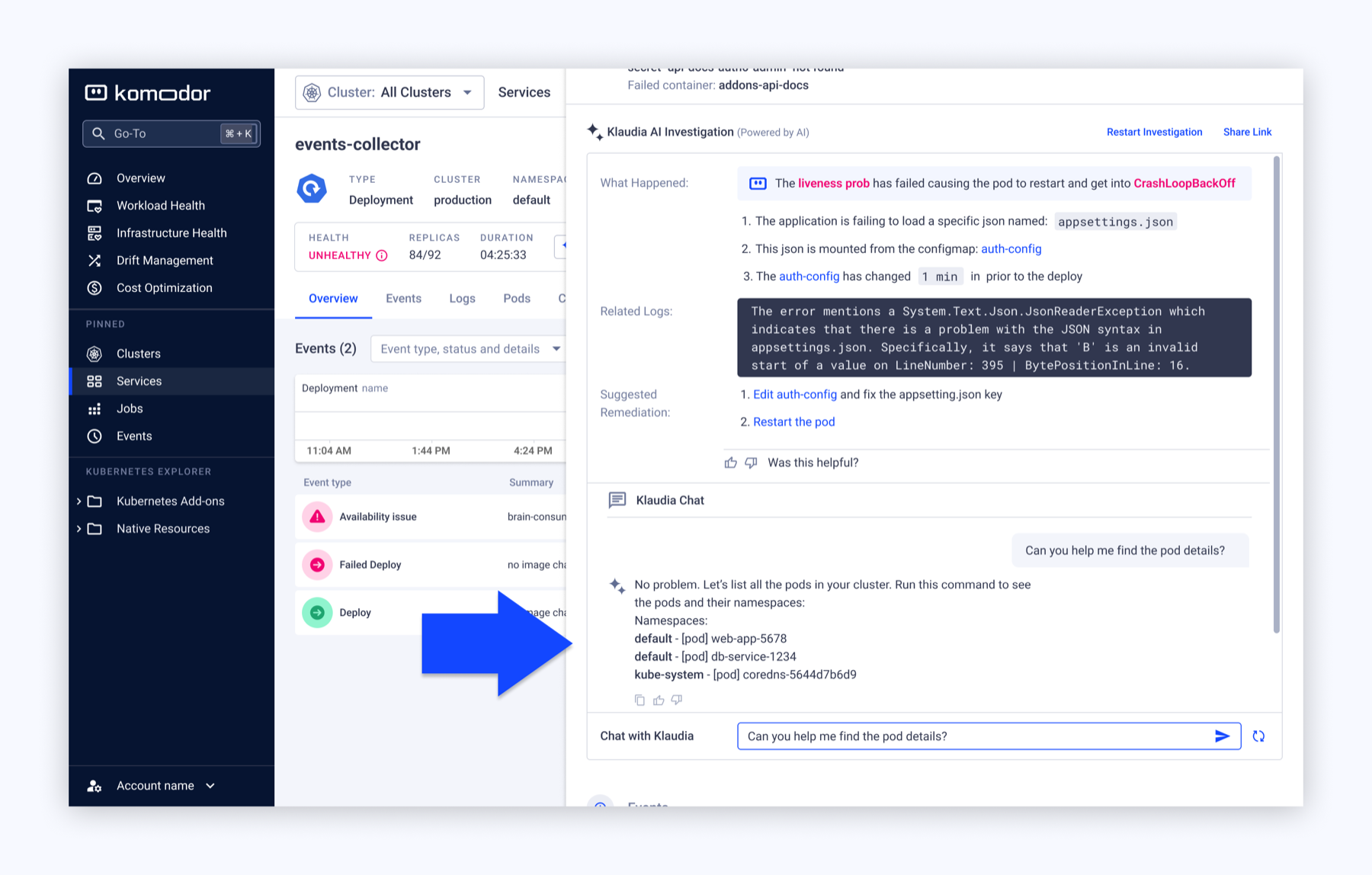
Underneath the UX pain points was a business one: Klaudia was gaining new capabilities (with the rise of MCPs, skills, and similar), but a fragmented, resource-limited presence meant the product's perceived intelligence was lagging behind its actual intelligence, and behind the market. The design challenge became: how might Klaudia follow the investigation instead of being tied to the feature?
Any redesign had to work within Komodor's existing product — Klaudia's role was to augment the Kubernetes platform, not replace it — and it couldn't simply remove the entry points users already knew and relied on.
Outcome
- Adoption was instant — no onboarding or transition period was needed.
- Investigations got deeper and more exploratory, validating the thesis that root cause analysis naturally spans more than one resource.
Key stages
Deciding on the solution pattern
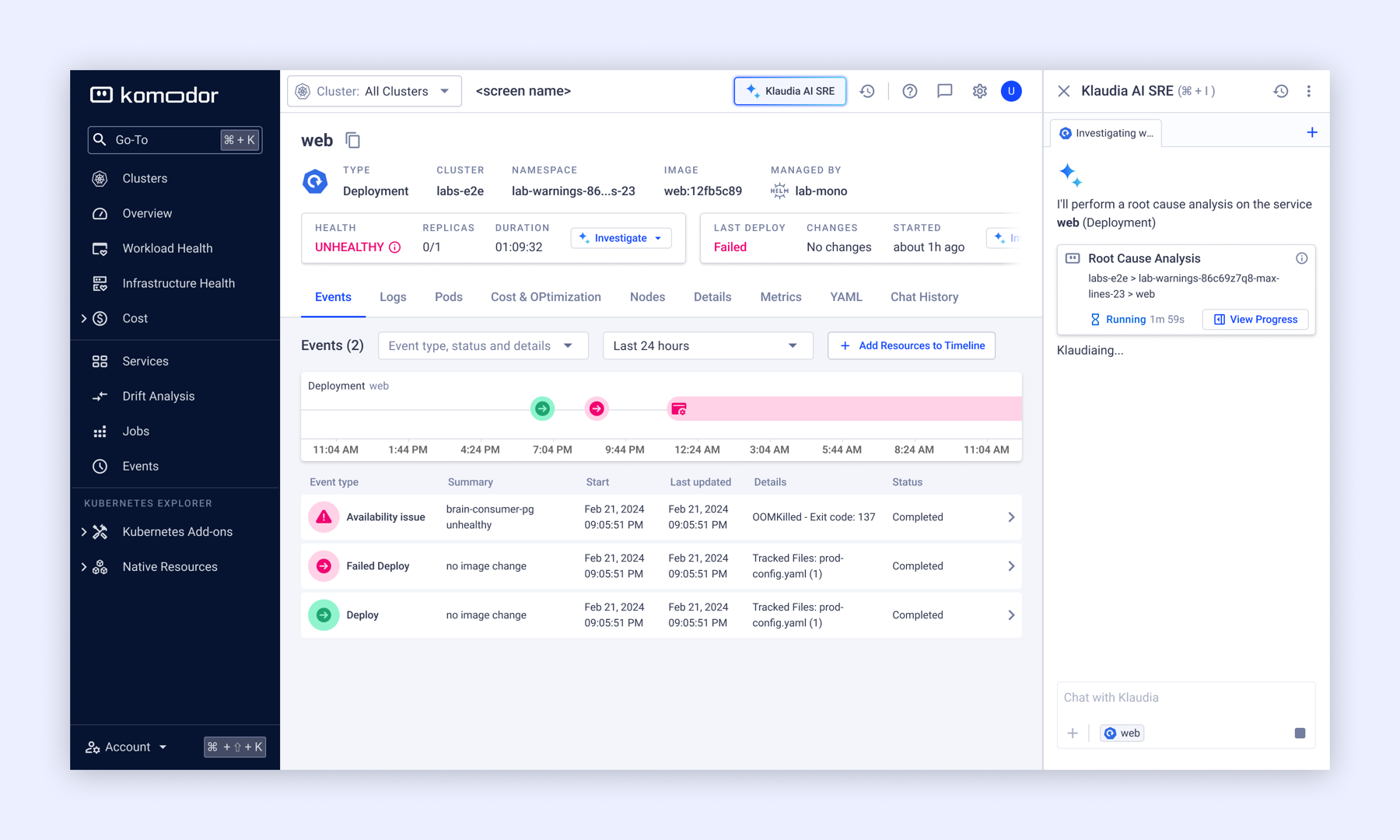
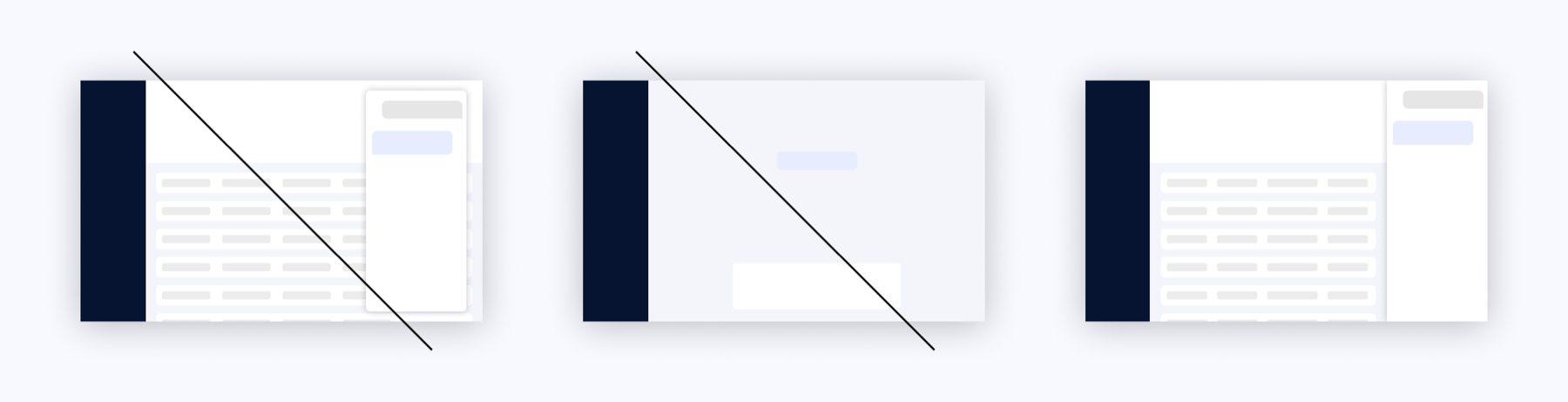
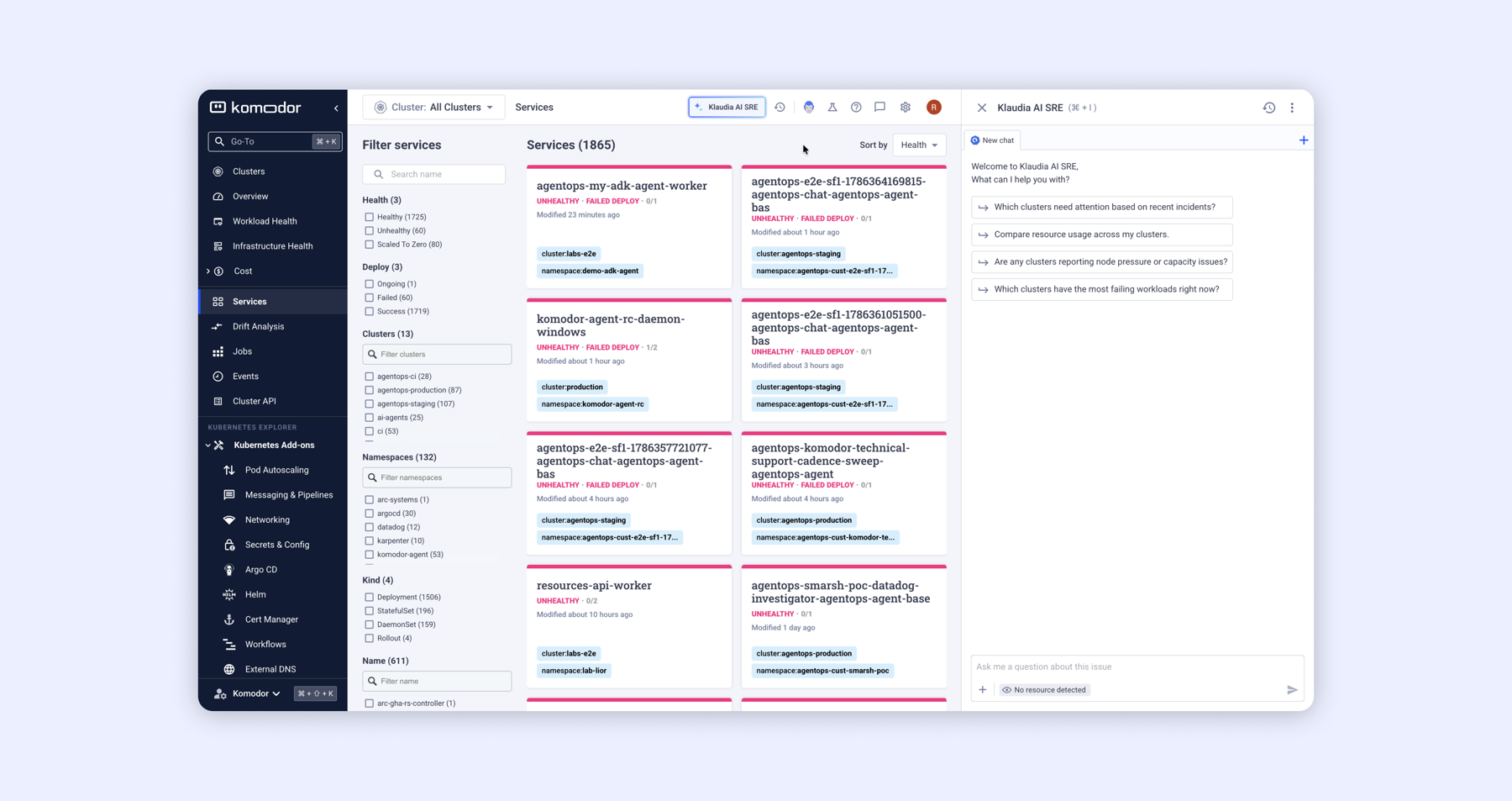
We explored three experience models for where Klaudia should live. A floating chat was quickly rejected because it covered the interface the user was trying to investigate. A full-screen assistant was rejected for phase one, since Klaudia's role was to augment the platform, not replace it. We landed on a persistent, side-by-side assistant: Klaudia stays visible alongside the platform while the user moves between resources and continues the same investigation, with a constant "Klaudia AI SRE" button always available to start a session.
Design challenges
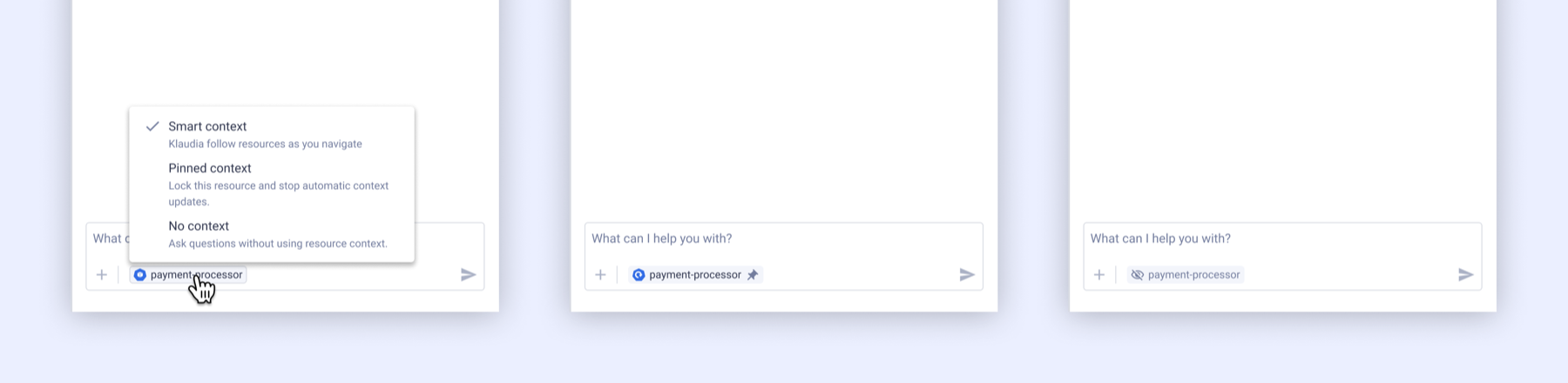
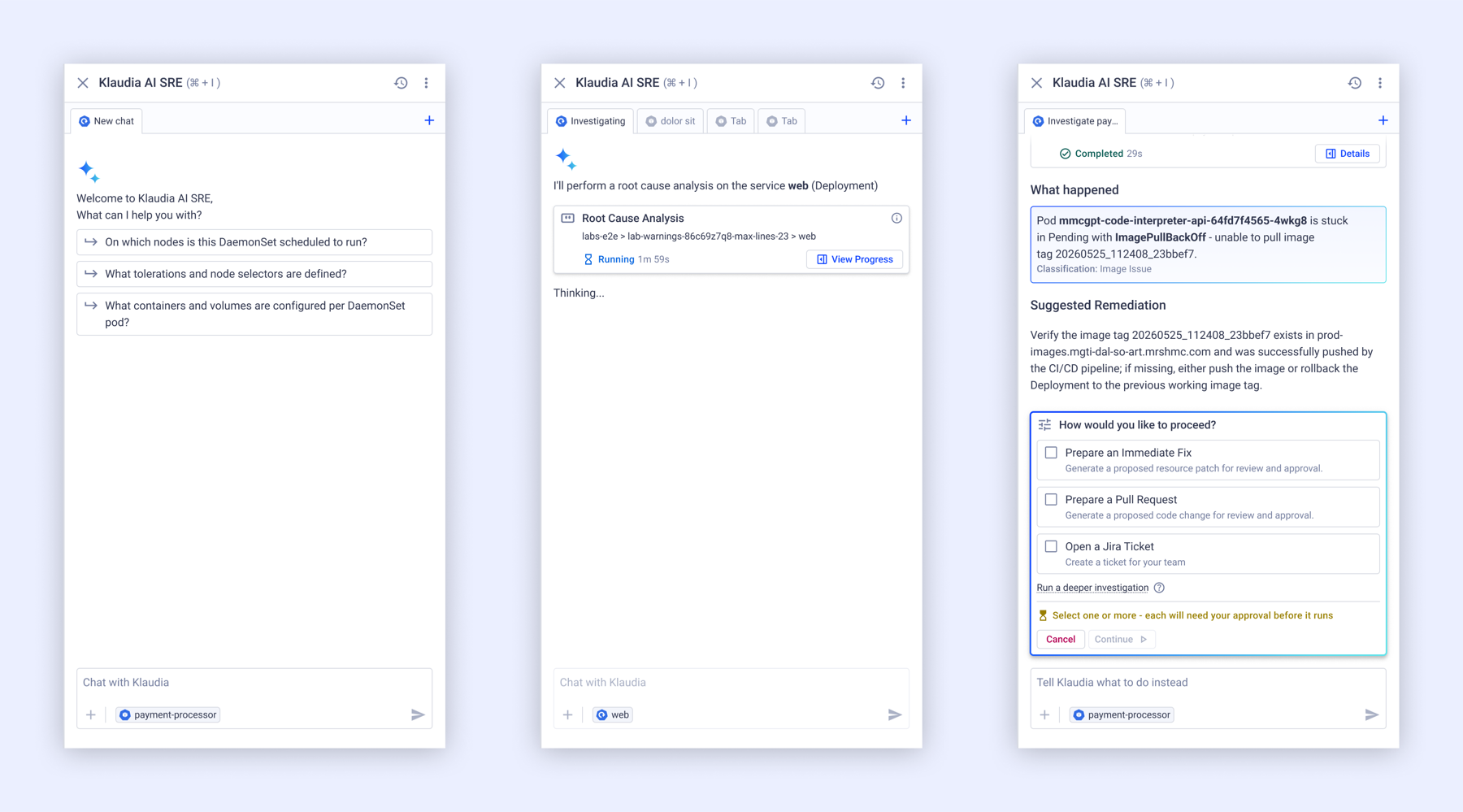
Choosing side-by-side raised a second problem: once Klaudia could relate to "the resource on stage," users needed to know what the conversation was actually about. We introduced a context chip in the chat input showing the active resource — modeled after how similar context is surfaced in developer IDEs like VS Code — with the ability to pin or disable it while navigating the platform.
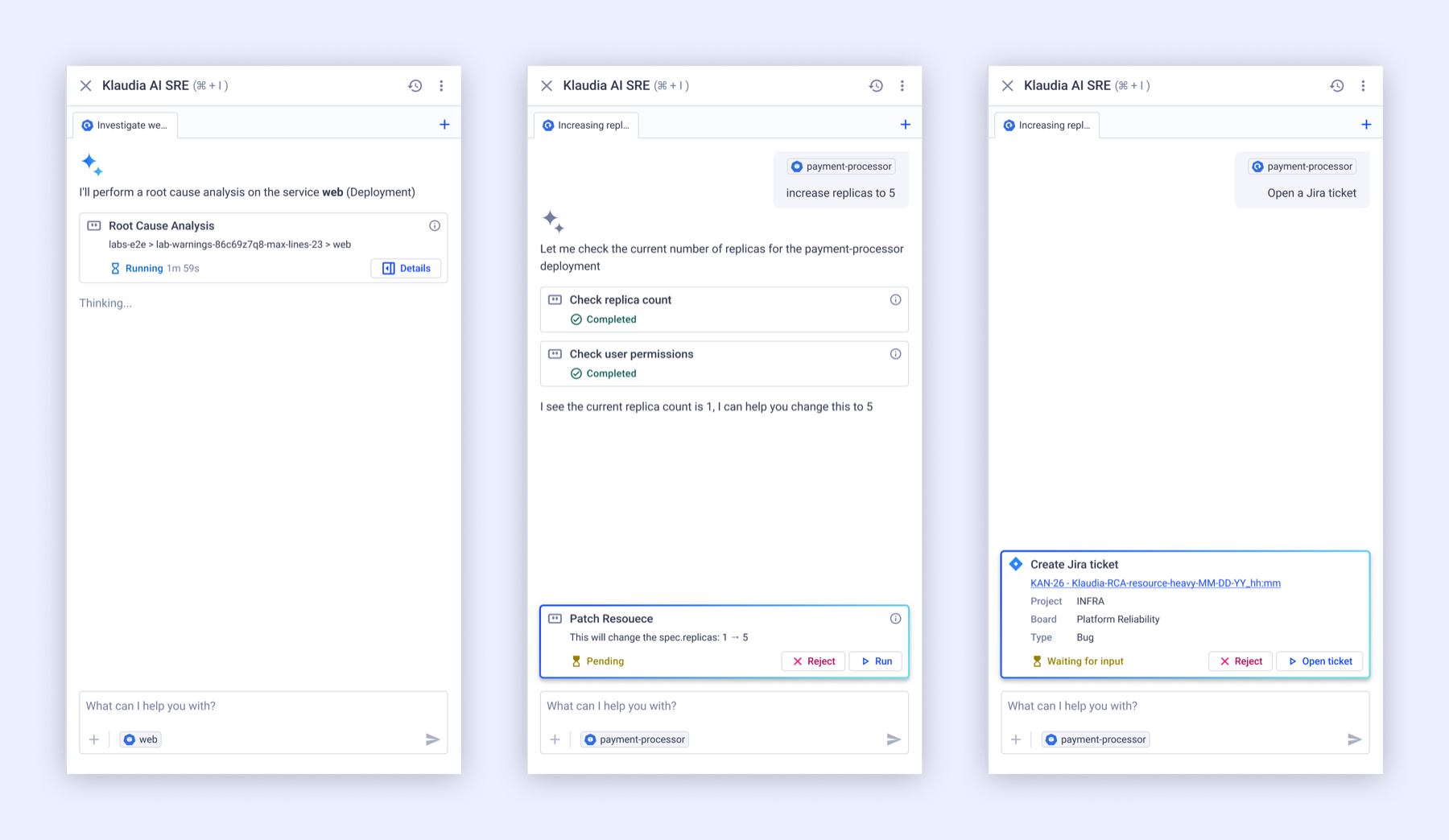
As Klaudia gained new capabilities — from data collection to making actual changes in a customer's environment — transparency and the "human in the loop" idea became leading values. We surfaced what tools Klaudia was using during a session, so users could see what was actually being done, and, more importantly, approve or reject what she was about to do.
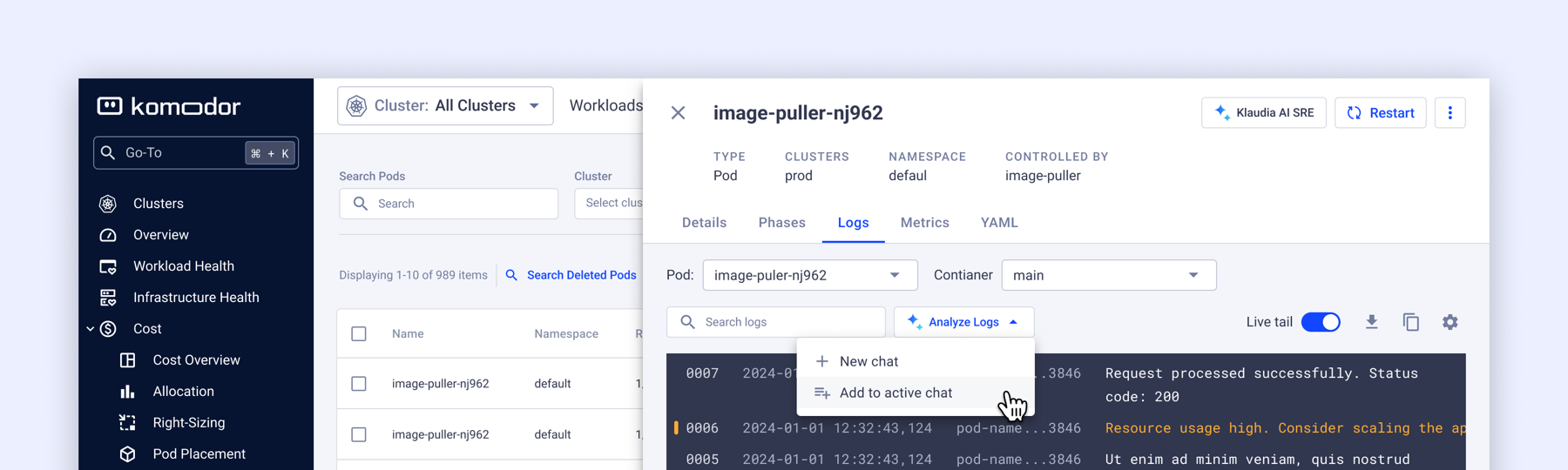
Another key constraint was that we couldn't just replace what was already working and familiar — every existing entry point into an AI feature represented a moment users had already learned. Removing them to force a single unified trigger would have traded the fragmentation problem for a new one. Instead, we turned each trigger into a split action: the primary action still starts a focused new chat scoped to that resource, exactly as before, while a second option, "Add to active chat," lets the user fold that same trigger into whatever investigation is already open. No feature was removed — what changed is that each one now feeds the same persistent conversation instead of an ad-hoc monologue.
Validating the approach
Rather than a formal usability testing round, we opened the feature internally once it was stable enough for real use — Komodor's own developers used it against real clusters during their day-to-day work. The response was positive: the side-by-side model and split-action pattern held up under actual investigation use, which gave us the confidence to move toward a broader rollout.
The solution & polish
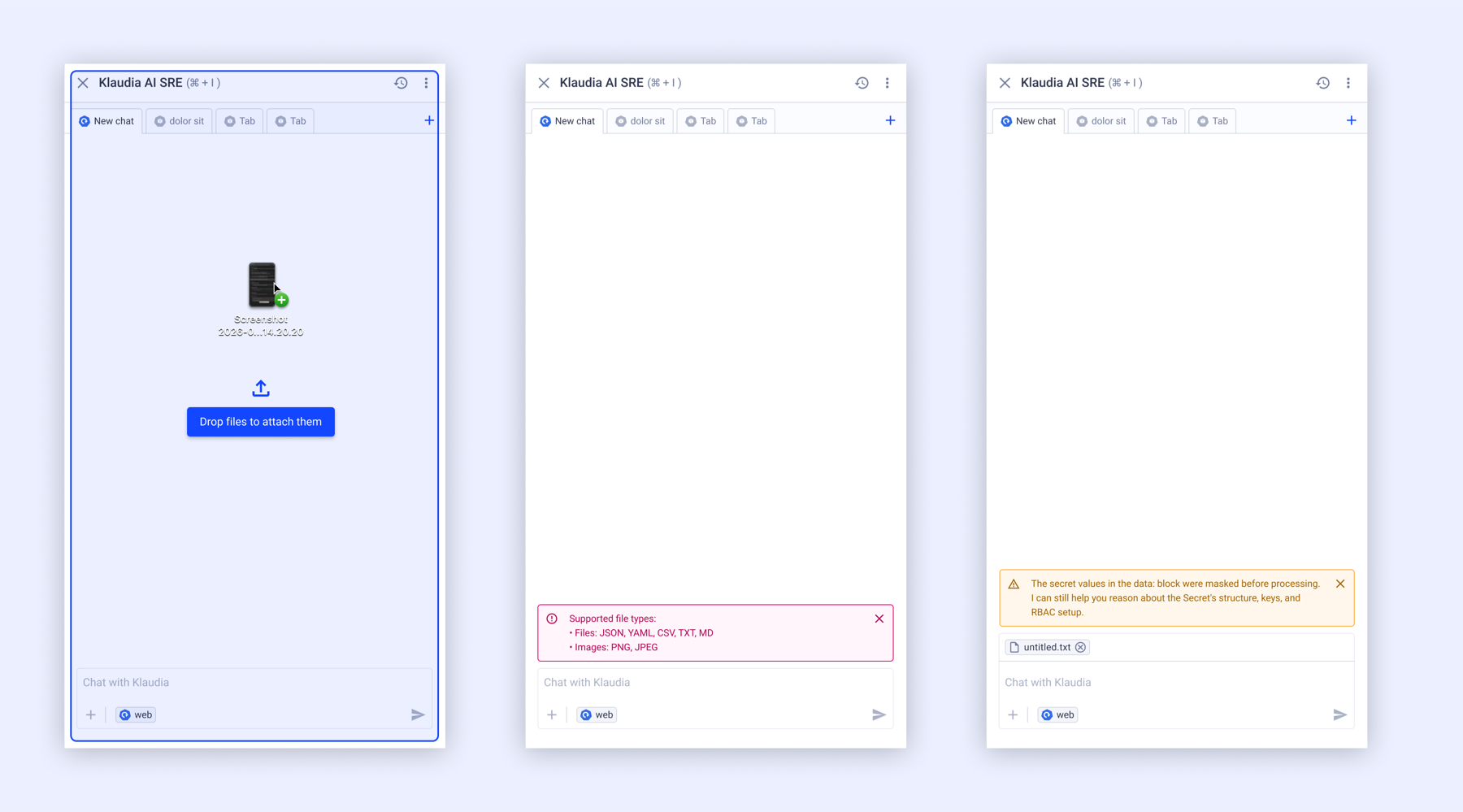
The shipped experience is a persistent, side-by-side AI SRE assistant: always reachable via a constant "Klaudia AI SRE" button, aware of the active resource via the context chip, transparent about what tools it's invoking, and fed by every existing entry point through the split-action pattern rather than a single forced trigger.
Impact
The rollout was gradual rather than a single switch-flip, and the response was immediate:
- Adoption was instant — no onboarding period was required.
- Investigations became visibly deeper and more exploratory, validating the core thesis that root cause analysis naturally spans more than one resource.
- The split between the Kubernetes platform and the AI assistant was accepted naturally, positioning Klaudia to evolve from a set of AI features into a true AI SRE assistant.
- Internal developers who used the feature during stabilization gave positive feedback on the side-by-side, context-aware model before it rolled out more broadly.
Together, these shifted Komodor's AI capabilities from a collection of isolated features into an assistant that could support an investigation from diagnosis through remediation, built around three principles: continuity (investigations span resources without restarting), visible context (users see what Klaudia is reasoning about), and explicit control (users approve or reject every proposed action).
Closing the loop
The new design solved where Klaudia lived. It didn't solve whether what she said was any good — and now that users were approving real actions she proposed, that question mattered more than ever.
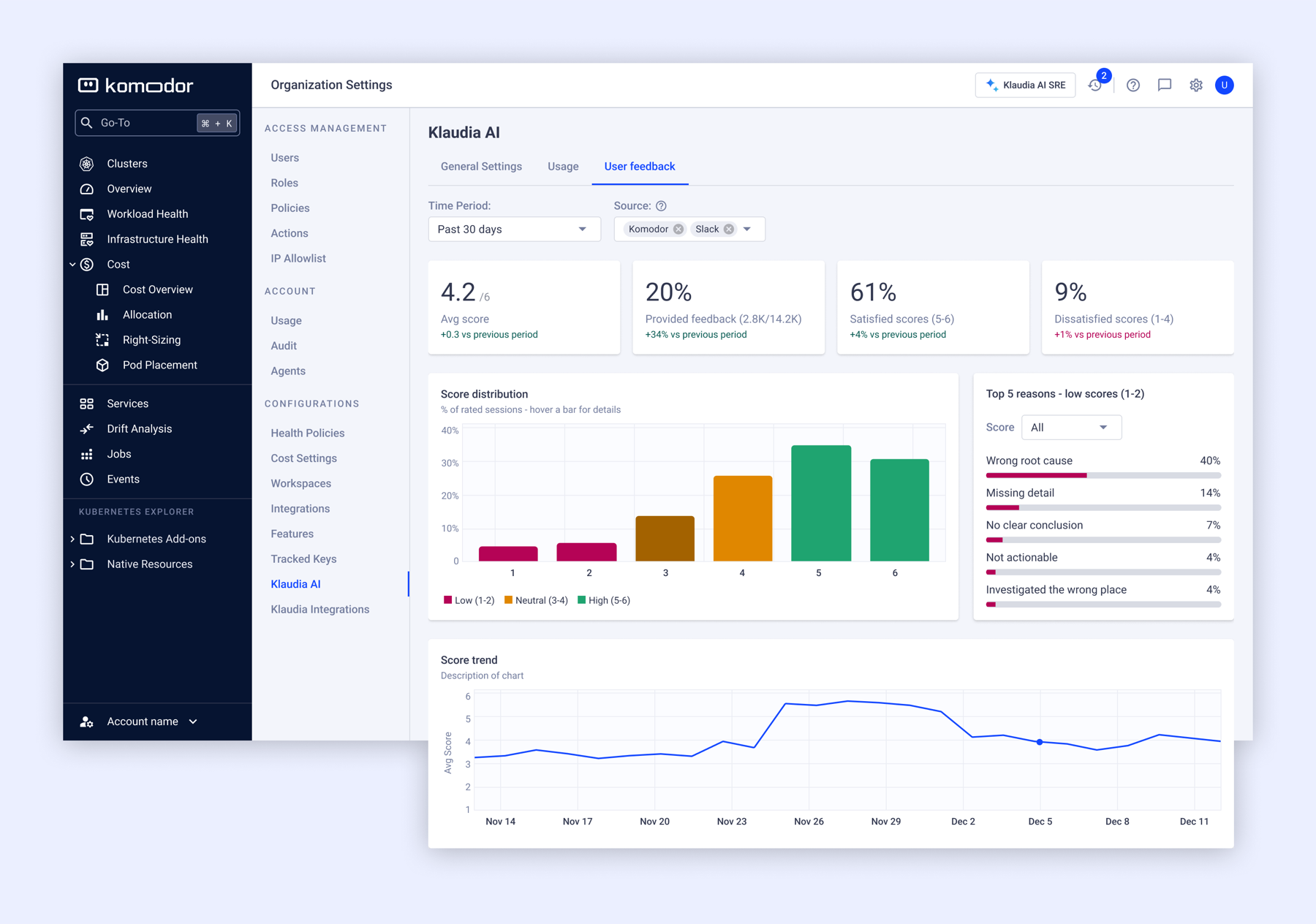
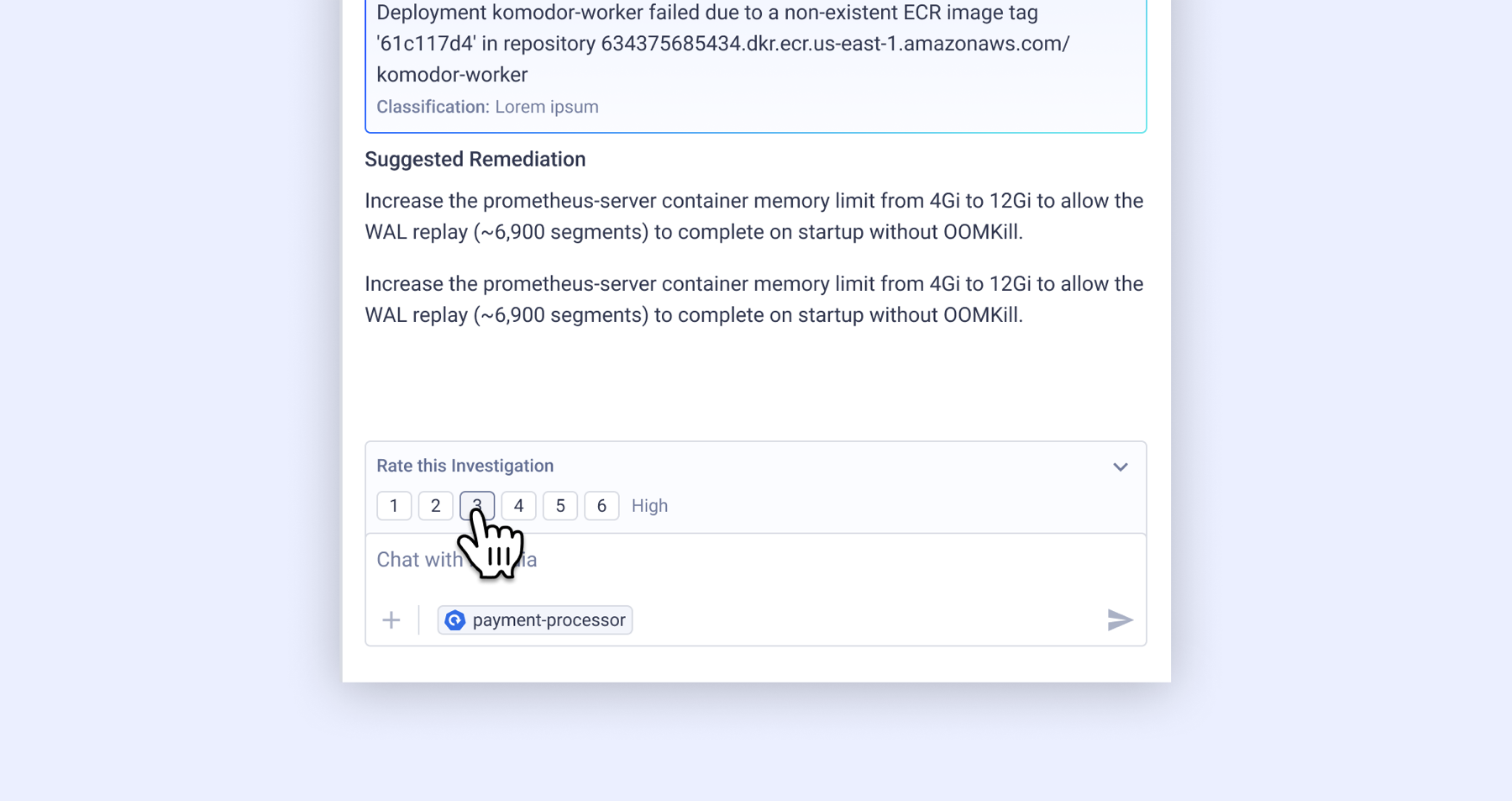
The solution was a 1–6 rating sitting directly under the investigation itself — no modal, no separate flow people would just skip. A score of 4 or below triggers a quick follow-up: a reason chip (wrong root cause, missing detail, not actionable, among others) plus an optional free-text field, so a bad score comes with why.
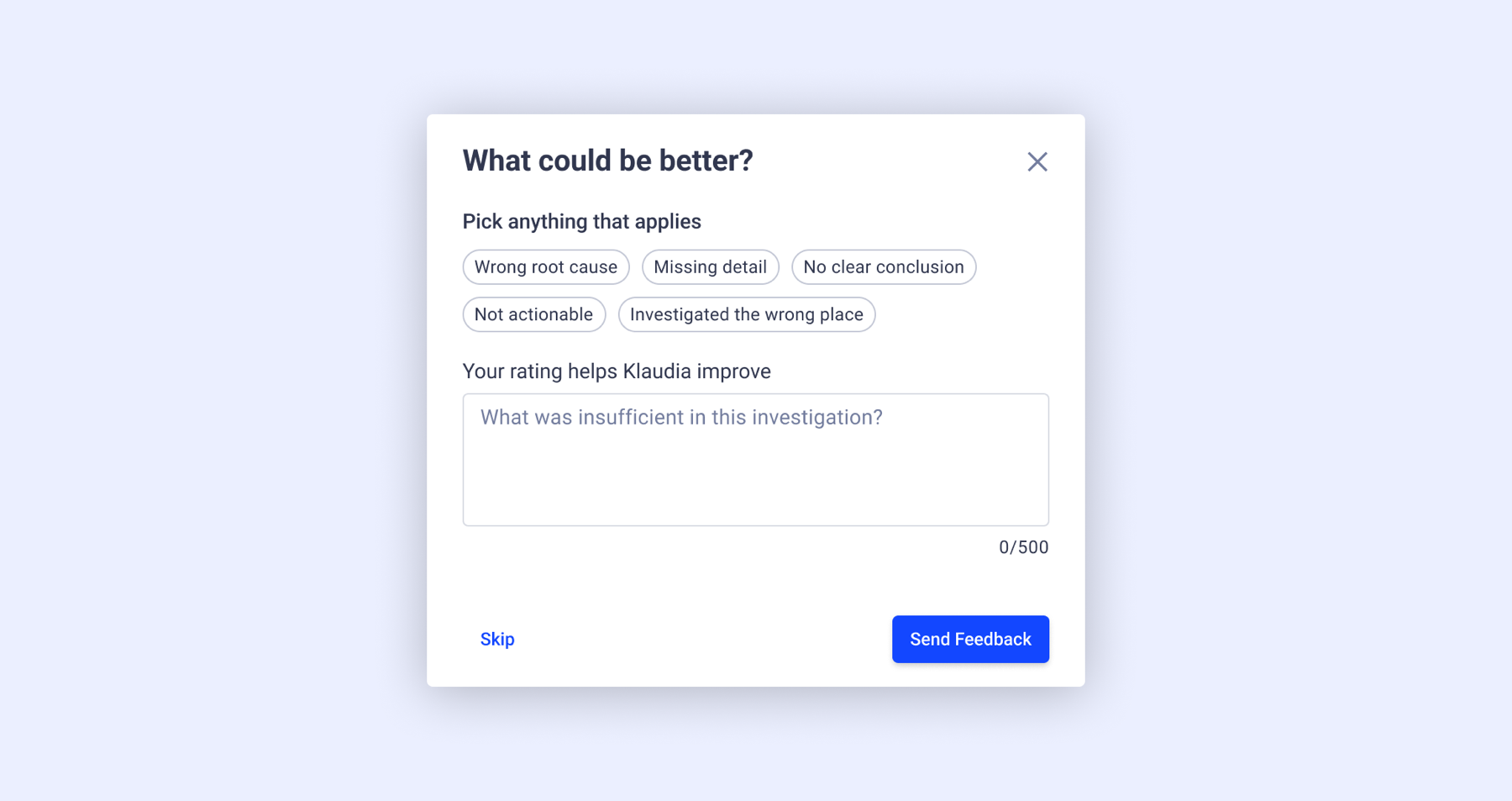
Individually, these ratings are just noise. Rolled up into a dashboard — average score, satisfaction split, and a ranked "top 5 reasons for low scores" — they become a trackable signal the team can actually prioritize against. It's the other half of the same bet the side-by-side model made: continuity and visible context aren't enough if there's no way to know when Klaudia's reasoning fell short.